Extract Archive Files Effortlessly
Preview and extract archives in just a few clicks with ezyZip Archive Extractor. The same simple interface you love from the web app, now with no file size limits and support for 130+ formats including rare and vintage archives. Available exclusively to ezyZip Pro subscribers!
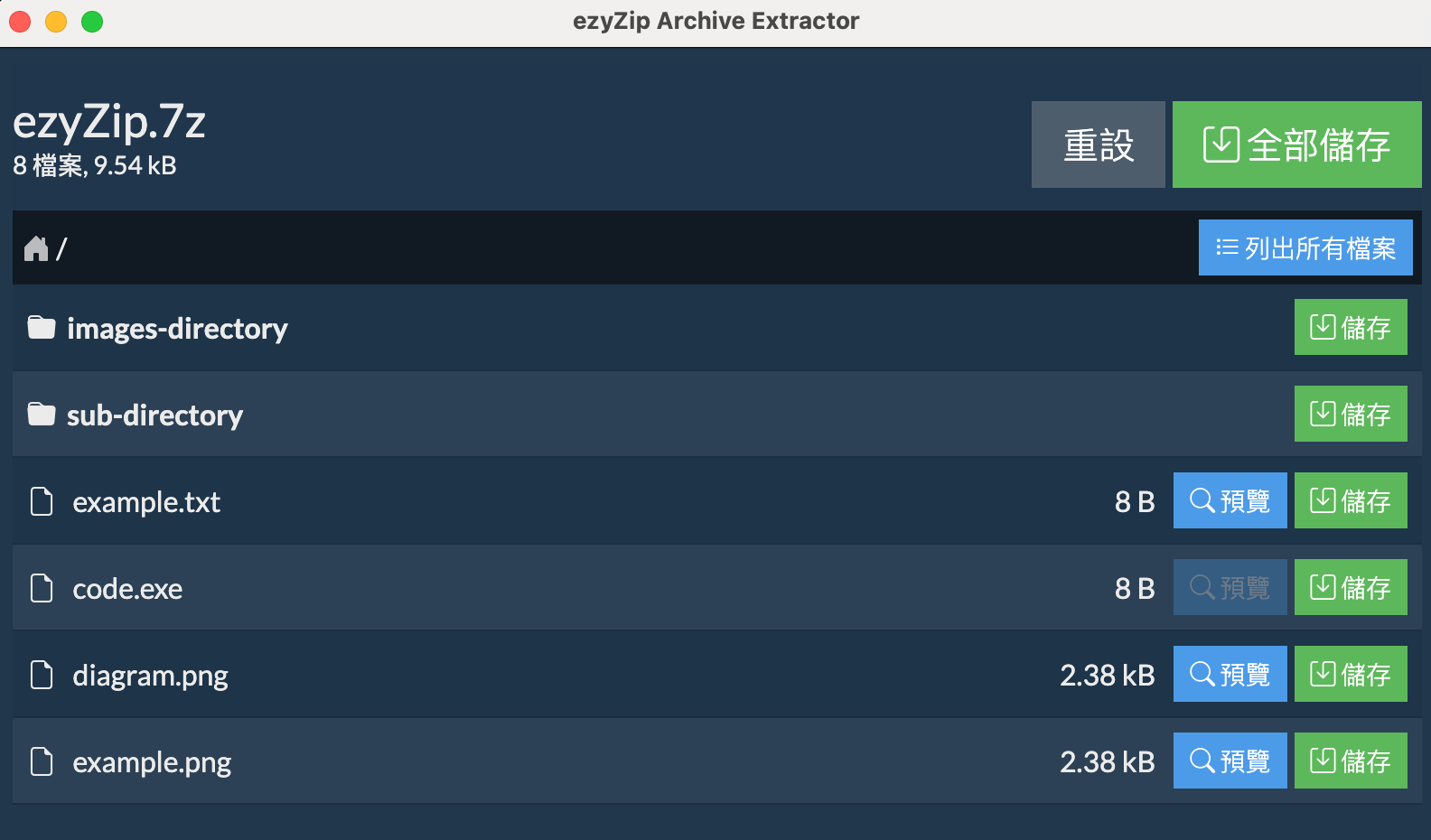
File Preview
Preview contents before extracting
Ultra Fast
Local processing for speed
Works Offline
No internet needed
Secure
Process files locally
版本 2025.12.23 新功能
增強的專業壓縮檔管理功能
巢狀壓縮檔
在新視窗中開啟壓縮檔內的壓縮檔
批次處理
選擇多個壓縮檔並合併其內容
資料夾掃描
自動尋找資料夾中的所有壓縮檔並一次解壓
30+ 新格式
經典 ACE、ARC、韓國 ALZ/EGG、Amiga、Wii 光碟映像
Supported Formats
Extract from 130+ archive formats including rare and vintage types
Popular Formats
Full support for these common archives
Vintage & Rare Formats
Extract from legacy and specialized archives
Frequently Asked Questions
Everything you need to know about ezyZip Archive Extractor
- Windows 10 or 11 (64-bit)
- 4GB RAM minimum (8GB recommended for batch operations)
- Disk space:
- 400MB for application installation
- Sufficient temporary space for file extraction (at least as much as your largest archive size)
Internet is only needed for:
- Initial download and installation
- License verification (once on installation)
- Checking for updates
All file processing is done locally on your computer - no files are uploaded to the internet.
Supported Formats:
ezyZip Archive Extractor supports over 130 formats, including:
Popular Formats (Full Support):
- Zip, Zipx, RAR, 7z, Tar, Gzip, Bzip2, LZMA, XZ, CAB, MSI
- ISO, BIN, MDF, NRG, CDI disk images
- NSIS installers
- EXE (self-extracting archives)
Vintage Mac Formats:
- PackIt - Full support
- StuffIt - Support without encryption
- StuffIt X - Partial support
- Compact Pro - Support without encryption
- DiskDoubler - Almost full support
Vintage PC Formats:
- ARJ - Support without multi-part archives
- ACE - Support for older versions
- ARC, PAK, ZOO, LBR - Full support
- Squeeze, Crunch - Full support
Amiga Formats:
- LZH, LZX - Full support
- ADF, DMS - FFS support
- PowerPacker - Full support
- Multiple additional Amiga formats via libxad
Korean Archive Formats:
- ALZ (ALZip) - Support without encryption
- EGG - Full support
Gaming & Disc Images:
- WBFS - Wii Backup File System
- WDF, GCZ, RVZ - Wii disc formats
- GameCube images
Modern Compression:
- LZ4 - Fast compression
- LZOP - Fast compression
- BZ3 (BZIP3) - Enhanced compression
- Zstandard (.zst) - Enhanced support
Other Specialized Formats:
- RPM, Deb, Ar, WARC - Full support
- XAR - FFS support
- NSA/SAR - Partial support
- NDS - Full support
- SWF - Support for images and audio
- PDF - Support for bitmap images
The app uses a combination of specialized libraries including unar, which provides exceptional compatibility with rare and vintage formats. Plus 30+ additional legacy formats not available on the web version.
Once the app is installed, you can continue using that version indefinitely - even if your subscription expires. No features will be disabled or locked.
However, you'll need an active subscription to:
- Download and install newer versions of the app
- Install the app on a new or reformatted computer
Yes! Once you've downloaded and installed ezyZip Archive Extractor, you can cancel your subscription anytime. The app will continue to work with all features fully enabled - even after your subscription expires.
You'll need an active subscription to install the app, but once installed, you can cancel anytime.
By default, the app checks for updates when it starts and will notify you if a new version is available. You can:
- Allow update checks on startup (default)
- Disable update checks in settings
- Manually check for updates anytime via "Help > Check for updates..."
When a new version is available, you'll need to download and install it manually. Note that installing newer versions requires an active subscription.
Yes! ezyZip Archive Extractor allows you to:
- Browse the full contents of any archive
- Preview common file types (text, images, PDFs, etc.) without extraction
- Extract individual files selectively
- Extract the entire archive with a single click
This makes it easy to verify contents before extraction or to grab just the files you need.
Yes! ezyZip Archive Extractor fully supports multipart/split archives, including:
- Traditional split archives (.001, .002, etc.)
- RAR multipart archives (.part1.rar, .part2.rar, etc.)
- ZIP split files (.z01, .z02, etc.)
- Modern ZIP multipart archives (.zip.001, .zip.002, etc.)
Simply open the first file in the sequence (e.g., .001 or .part1.rar), and the app will automatically detect and use all parts to extract the complete archive. All parts must be in the same folder.
可以!在查看壓縮檔內容時,任何巢狀的壓縮檔都會顯示「開啟」按鈕。點擊它即可解壓並在新視窗中開啟巢狀壓縮檔。您可以同時開啟多個壓縮檔視窗。
這讓處理軟體套件、巢狀備份和多層壓縮資料變得輕鬆,無需手動解壓步驟。
當然可以!使用多檔案選擇功能選擇多個壓縮檔。它們的內容會合併到單一的組合清單中。如果檔案同名,會自動重新命名(file.txt 變成 file_2.txt)。然後您可以將所有內容儲存到一個資料夾中。
這適用於任何支援格式的組合 - 您可以在單一操作中合併 ZIP + RAR + 7Z 檔案。
ezyZip 會掃描資料夾(包括子資料夾)並自動找出所有壓縮檔。非壓縮檔(如圖片、文件和影片)會被靜默跳過。所有發現的壓縮檔會合併到一個組合清單中。
這非常適合處理下載資料夾、備份目錄或照片匯入資料夾。
基於效能考量,資料夾掃描最多處理 1,000 個檔案。如果您的資料夾包含更多檔案,請考慮選擇特定的子資料夾或使用多檔案選擇功能單獨選擇壓縮檔。
沒問題!處理多個壓縮檔時,ezyZip 會針對每個有密碼保護的壓縮檔個別提示您輸入密碼。會顯示壓縮檔名稱,讓您知道要輸入哪個密碼。
我們支援超過 30 種舊版和經典格式,包括:
- 1980-90年代 PC: ACE、ARC、ZOO、PAK
- 韓國壓縮軟體: ALZ (ALZip)、EGG
- Amiga: DMS (DiskMasher)、ADF (Amiga Disk File)、PowerPacker、IceCrunch
- Wii 光碟映像: WBFS、WDF、GCZ、RVZ
- 經典 Mac: PackIt、StuffIt、Compact Pro、DiskDoubler
如果您有舊的備份媒體或復古電腦壓縮檔,我們很可能可以解壓它們!
桌面應用程式相比網頁版提供了幾項優勢:
- 無 2GB 檔案大小限制 - 解壓任何大小的壓縮檔
- 批次處理 - 選擇多個壓縮檔或整個資料夾
- 巢狀壓縮檔支援 - 開啟壓縮檔內的壓縮檔
- 130+ 格式 - 包括網頁版沒有的 30+ 舊版格式
- 完整離線功能 - 安裝後無需網路
- 更快處理 - 原生程式碼執行